New and Advanced: Opera One

Earlier this year Opera announced a complete overhaul of its flagship browser and named it Opera One. It introduced Aria, which the company claims to be the world's first native browser AI. Opera partnered with OpenAI to incorporate ChatGPT-like capabilities into Aria.
Opera reported that Opera One operates in a manner reminiscent of the older Opera Browser but has received a significant facelift. The company emphasized that artificial intelligence is now an integral component of the browsing experience, rather than just an optional feature. The browser has been given a modern 'Modular Design' and incorporates new features like Tab Islands. In this week’s article we will be looking at these exciting new features.
Tab Islands
One of the most important features of the new Opera is the concept of “Tab Islands”. It groups related tabs together while simultaneously maintaining separation between different browsing contexts. Tab islands can also be collapsed into a compact form. Furthermore, users can revisit them later or store them in bookmarks or pinboards. In essence, this keeps your browser tabs organized based on their context, eliminating the need to constantly switch between tabs and reducing the feeling of being overwhelmed. For instance, when you're planning a trip and researching hotels and local attractions, Opera One will automatically organize all relevant tabs into a dedicated 'Tab Island,' and the same holds true for work-related tabs.


Aria browser AI
Opera also includes an AI-driven chatbot named Aria. Similar to the Bing chatbot in Microsoft Edge, Opera's AI assistant resides in the browser's sidebar. It's capable of answering questions with real-time information, generating text or code, and more.
This integrated chatbot is powered by Opera's Composer AI engine and links to OpenAI's GPT model. Users with an Opera account can click on the Aria icon located on the left side of the screen to initiate a chat.
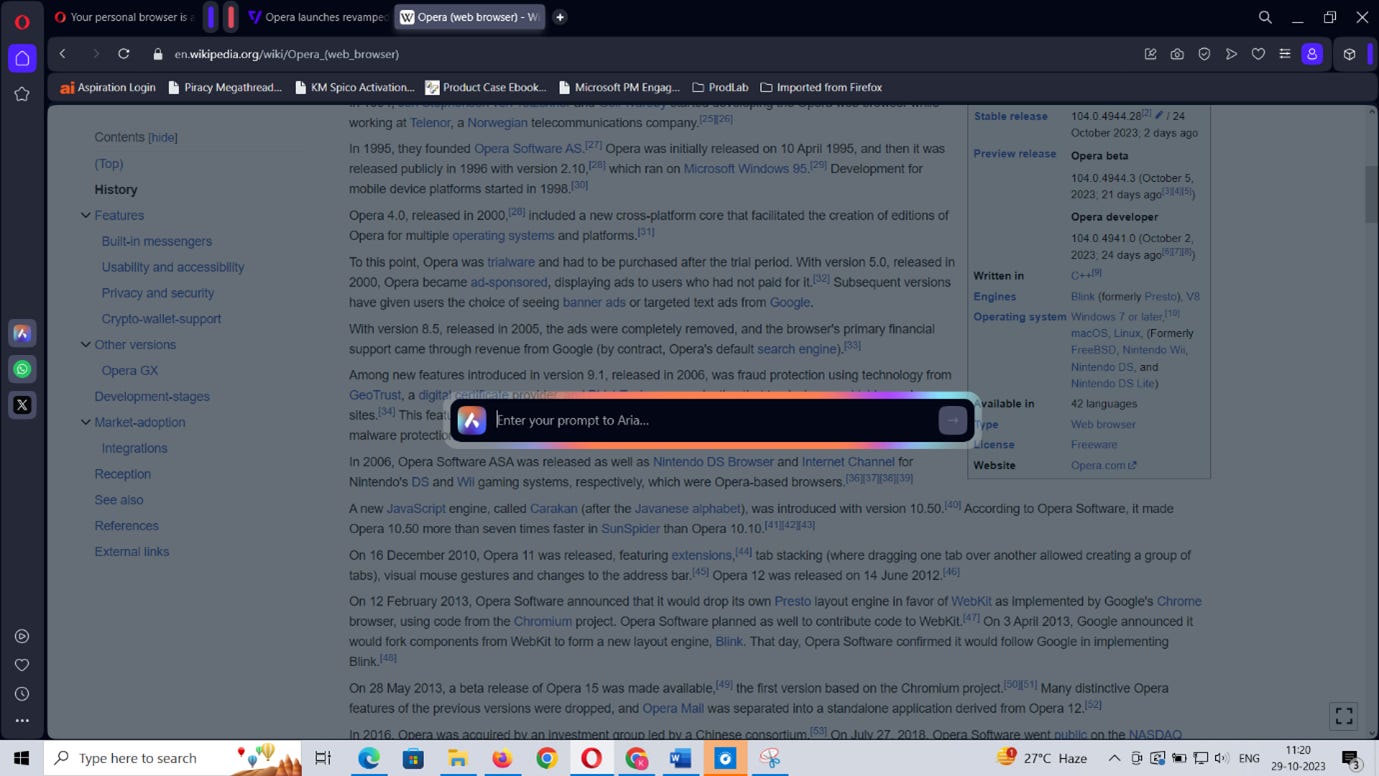
One of the key features of Aria is that you can activate a command line-style overlay, allowing you to promptly input a question or request.
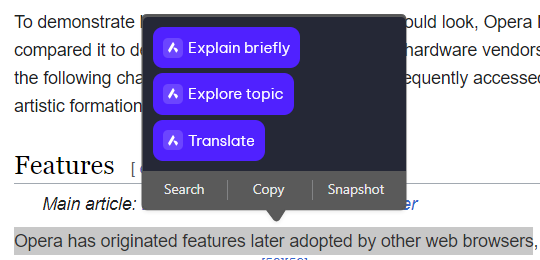
Additionally, you can select and highlight text directly on a webpage, which triggers a menu for Aria to either translate the highlighted text, provide an explanation, or locate relevant topics on the internet.
Opera Wallet
Opera's integrated Ethereum-based crypto wallet is designed to explore the capabilities of Web 3.0. This wallet allows you to conveniently oversee and manage your Ethereum tokens and collectibles, as well as engage in trading activities.
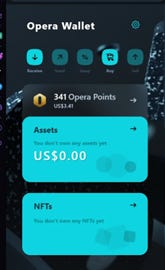
A notable feature is that Opera's crypto wallet is accessible on both the desktop and mobile versions of the Opera browser, giving you the ability to monitor all your tokens, collectibles, and keys across both browser platforms.
For enhanced security, it is necessary to have both the desktop and mobile versions of Opera installed on your devices to access the full functionality of your crypto wallet. For instance, you can only conduct crypto trades within the sidebar panel of Opera's desktop browser. However, all trade transactions must be confirmed and validated through the mobile version of Opera. While this may seem slightly inconvenient, the extra layer of security is a worthwhile measure to safeguard your cryptocurrency.
Ad Blocker
Ad-blockers have become a necessity in today’s Internet which is laden with ads. Internet browsers have started adopting built-in ad-blockers and Opera is also one of them. That being said some websites are a little too stubborn about keeping i.e. you will not be allowed to use the website without disabling ad-blockers. For such situations Opera also allows its users to add exceptions to their list of ad-blocked websites.
SideBar Extensions
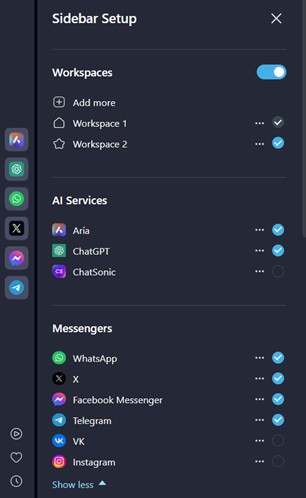
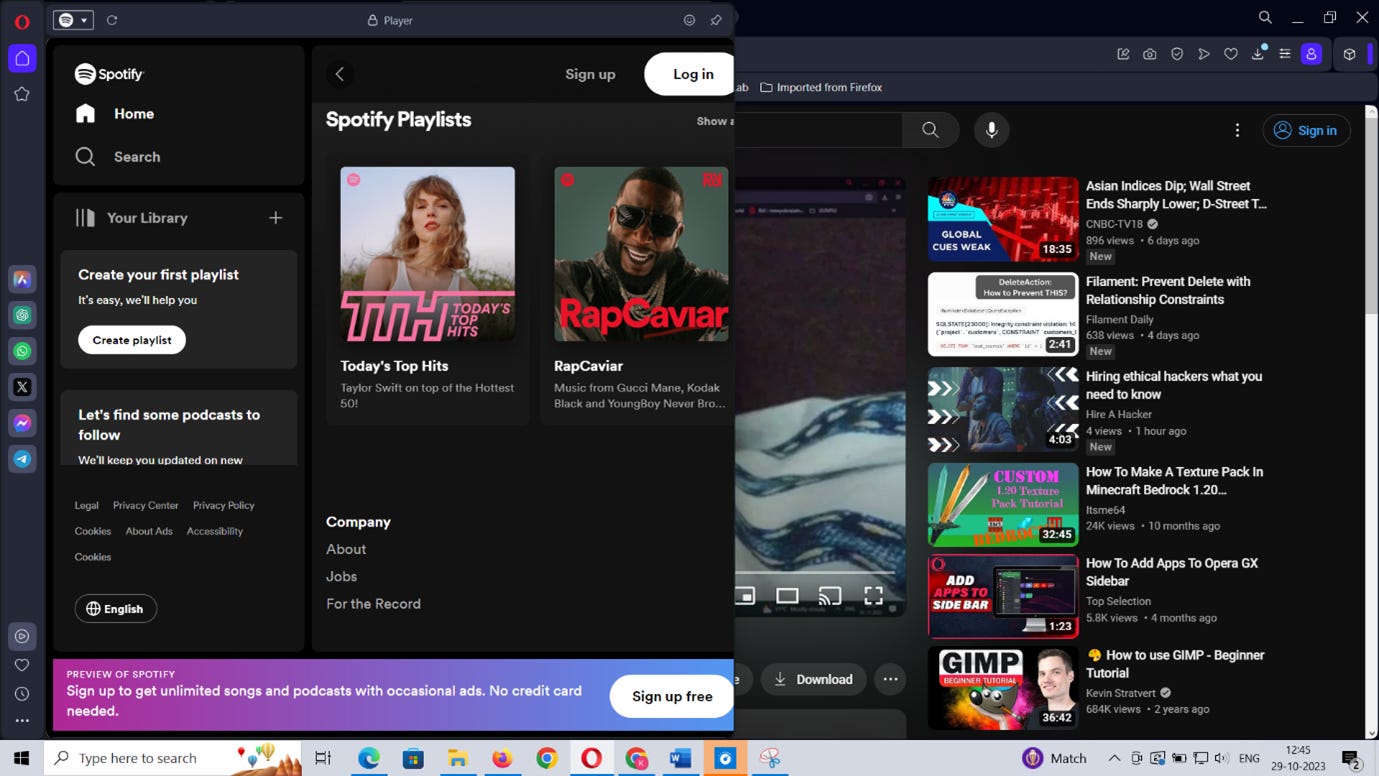
Earlier in this article we talked about Aria, which can also be accessed through the sidebar. The sidebar in Opera is not just a place to access our bookmarks and shortcuts. The sidebar also allows the integration of other shortcuts within itself. Users can easily access their favourite websites and apps like Spotify, Twitter, WhatsApp etc on the go using the sidebar. The most useful feature of the sidebar is its player integration through which popular streaming platforms like Spotify and YouTube can be accessed while also browsing other websites.
My Flow
Another new addition to the Opera ecosystem is My Flow. Has it ever happened that you were browsing something on your desktop and you had to leave your PC to attend to an urgent task outside? With Flow you can easily access that exact same tab that you have opened on your PC on your phone. Simply put, My Flow makes it very easy for you to move from desktop to mobile without missing a beat. Users can also send files and messages between their mobile phone and desktop seamlessly without having to retort to third-party apps.
Conclusion
Opera has undoubtedly brought significant innovations to the world of desktop browsing. However, there are still areas that require further refinement. For instance, while the built-in AI browser Aria can handle most tasks akin to the Bing chatbot, it doesn't quite match the capabilities of the Edge assistant. Aria lacks a comparable menu system for easy selection of conversation styles when asking questions, and it doesn't provide one-click options for choosing the tone, format, or length of generated text.
Nonetheless, Opera One represents a valuable addition to the browsing landscape and is something worth exploring. As AI continues to make its way into web browsers, it will be intriguing to observe how competitors respond. The future holds exciting possibilities!